Family services · Fee logic
Late Fee Rule Builder
The ask was a collections tool. What testing surfaced was that directors cared more about protecting families than collecting on time — so that's what got built instead.
45-second version
A family services organization needed an automated way to track late invoice payments and apply late fees — built to ensure timely collection.
Comparative research surfaced the standard fee-structure options. But testing with real customers showed punitive structures like compounding fees were a hard turn-off — what they wanted wasn't faster collection, it was a way to work with families, not against them.
A rule builder around that insight: percentage fees as the default, a collapsed compounding option for edge cases, and a dollar cap so families couldn't accrue more than a set amount. Setup time: under 30 seconds.
Ask
The directors wanted an automated late fee calculator: track which invoices came in late, apply a fee model of their choosing, and send the updated invoice — without manually tracking any of it. The stated focus was collection: get the money owed, on time.
Test
I started by researching how comparable software handles fee logic — compounding vs. flat fees, percentage-based models, rules that vary by invoice type, the ability to toggle features on and off. That gave me a full set of options worth testing, not just guessing at.
When I put those options in front of customers, the pattern was immediate: aggressive structures like compounding fees were rejected outright. Customers weren't optimizing for collection speed — they were protecting relationships with families they saw regularly at their centers.
“I'm not trying to build up debt. I'm trying to help them catch a break.”
That reframed the entire project: this wasn't a collections tool, it was a compassion tool that happened to also collect money.
Ship
Every design decision after that traced back to the insight.
- Named, toggleable rules applied to specific invoice types (tuition, attendance-based, manual) — directors could turn rules on or off and edit them freely as circumstances changed, like a new school year.
- Percentage fees as the default selection, since that's what most customers gravitated toward — a small choice that made the common path faster.
- A configurable activation window (30/60/90/custom days), defaulting to 30 — giving families breathing room before a fee applied.
- Compounding fees kept but collapsed, not removed — still available for edge cases, but no longer the first thing a customer saw, since testing showed it read as punitive.
- A dollar cap field, letting directors set a hard ceiling (e.g. “$100 max”) on what a family could accrue. This was the feature customers responded to most — it meant a family's situation couldn't spiral, no matter how long an invoice stayed unpaid.
- A live rule summary at the bottom of the form, translating the configuration into plain language in real time (“After 30 days, apply a 5% fee for all tuition plans, $75/family/month”) — so directors could double-check what they were actually setting before saving.
Screens & prototypes
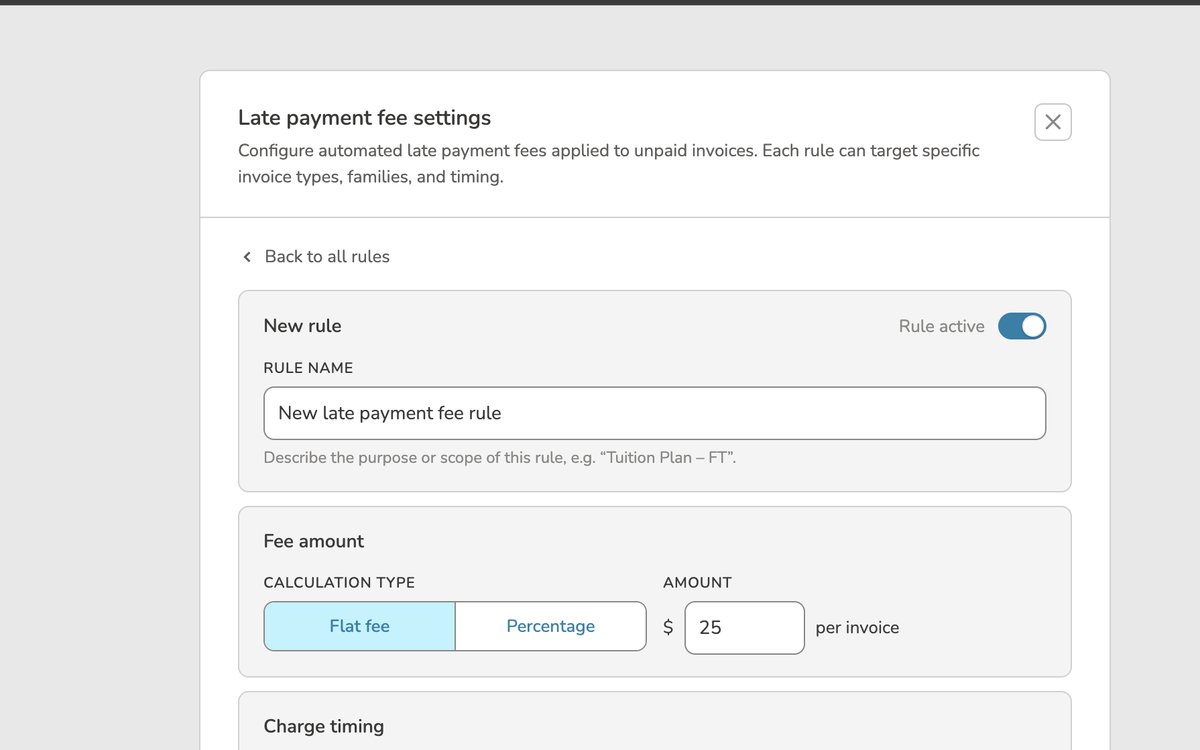 New rule — fee type & charge timing
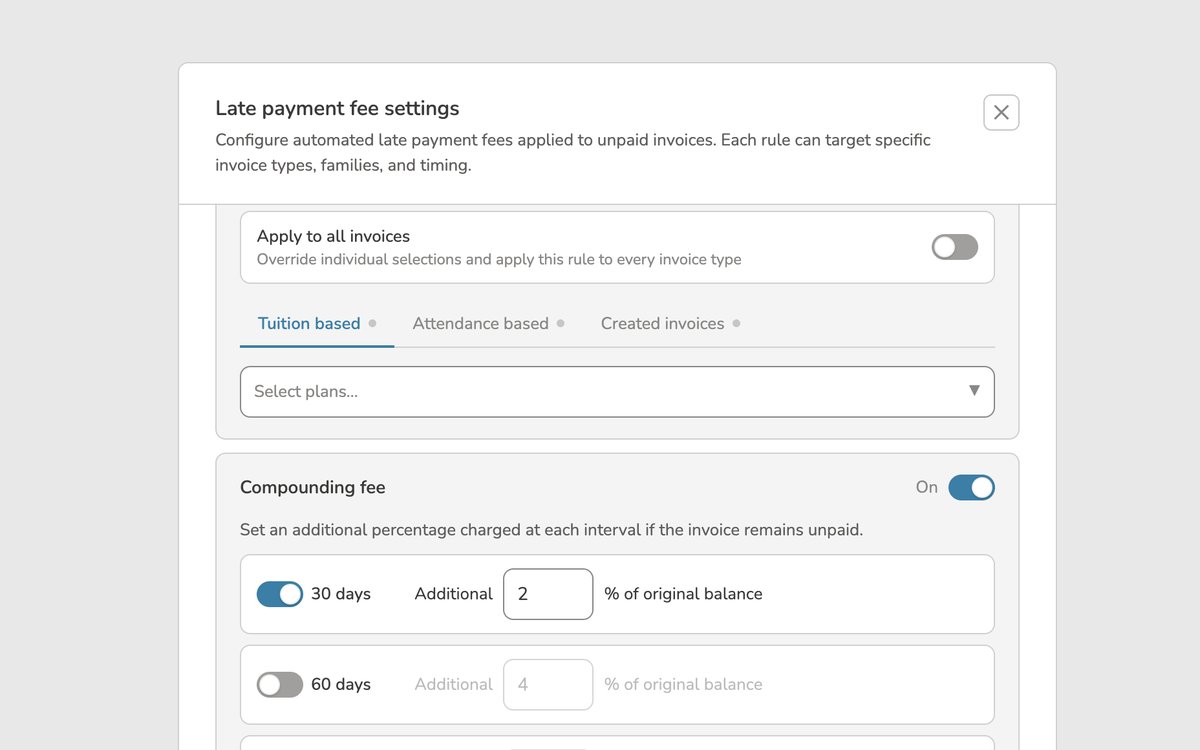 Scoped to specific invoice types
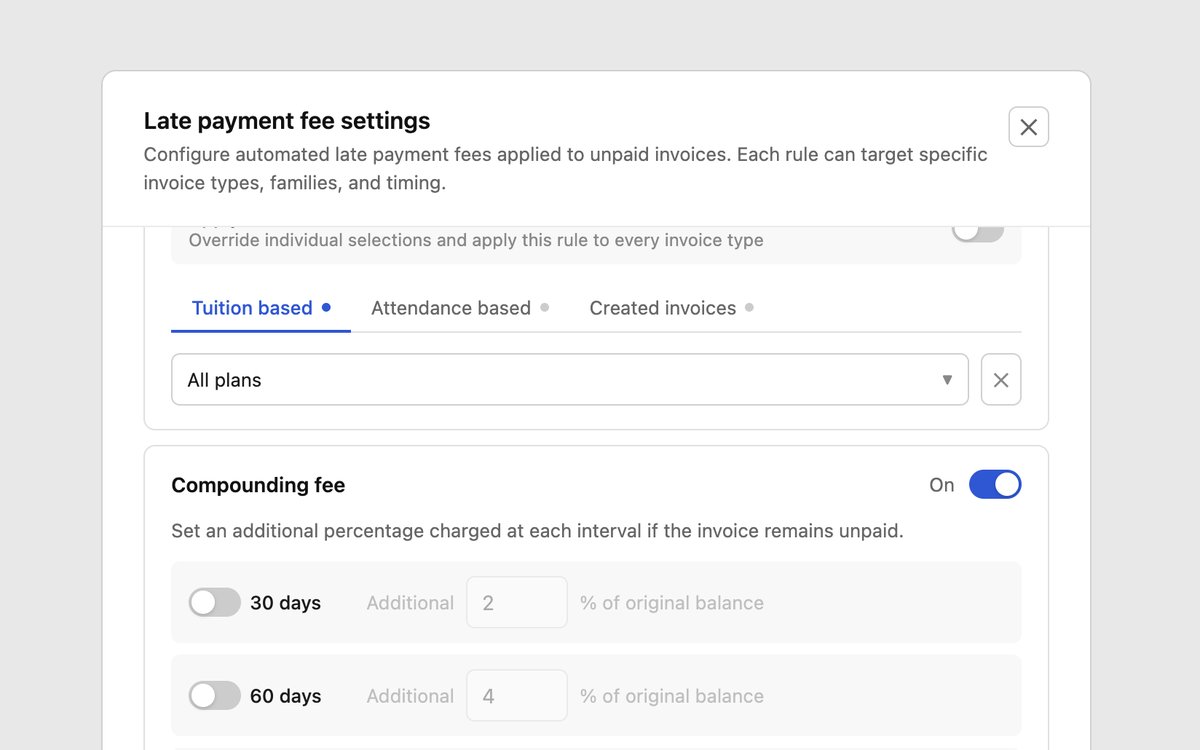 A saved rule, previewed before anyone saves it
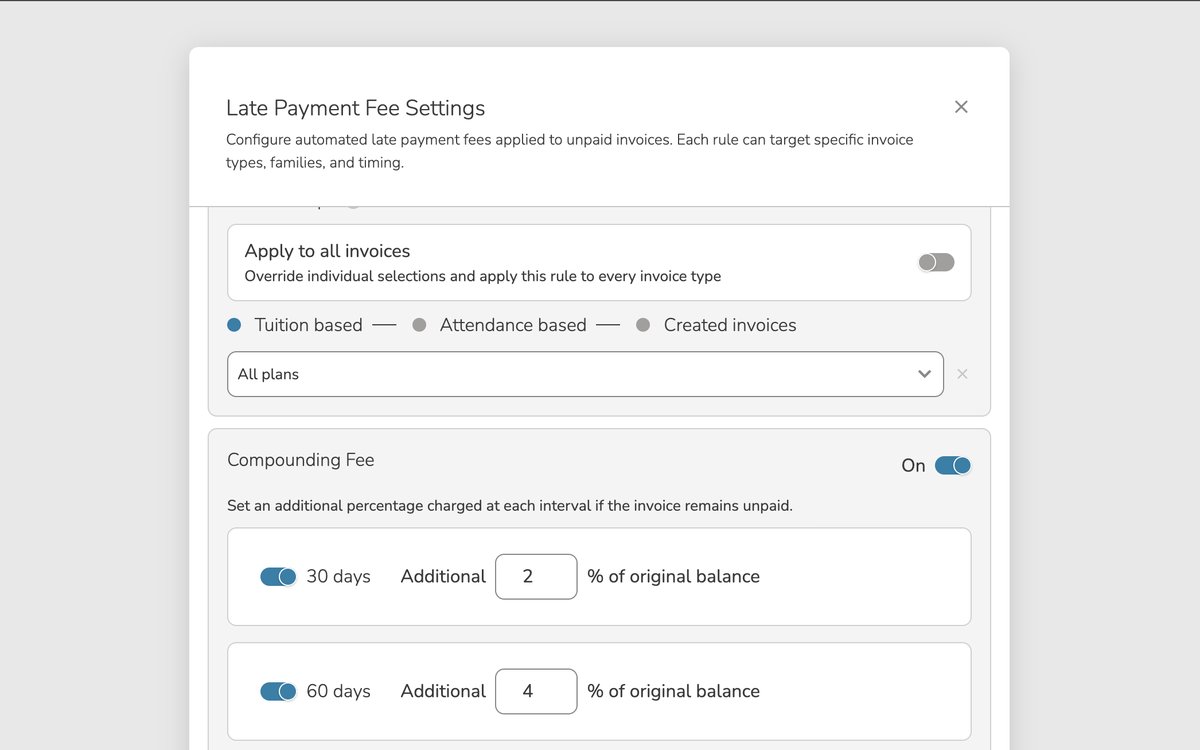 Compounding — edge cases only, off by default
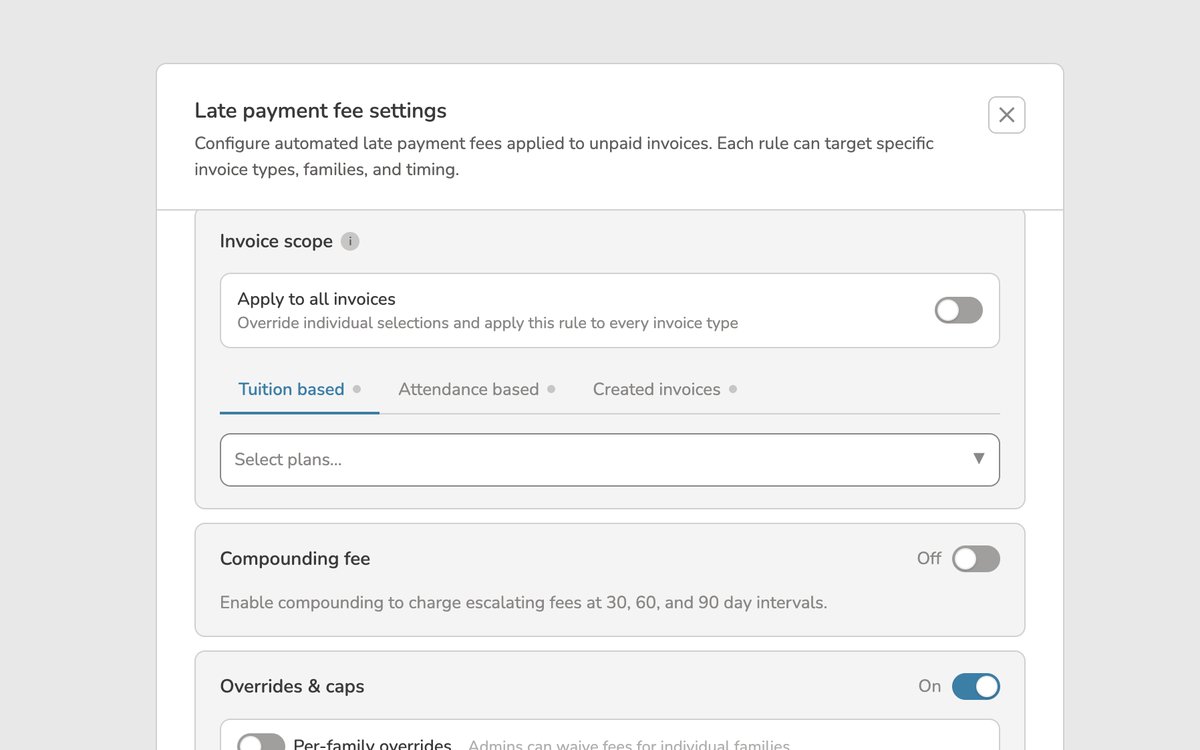 The dollar cap customers responded to most
 Assigned at the plan level, percentage by default
A rule could be built in under 30 seconds. Customers said they'd use it if it were live tomorrow.
Where AI changed how I worked
I used AI to build interactive prototypes customers could actually type into — testing real numbers instead of reacting to static mockups. That speed let me test small structural changes against real reactions: collapsing the compounding fee option, moving the per-family cap higher in the form to reflect the compassion-first framing — each shift measurably changed how customers felt about the tool. Because the prototypes were close to real interaction logic, I was able to hand working code to developers early, so backend work started while I was still refining the front end — turning a normally sequential handoff into parallel work, and shortening delivery.